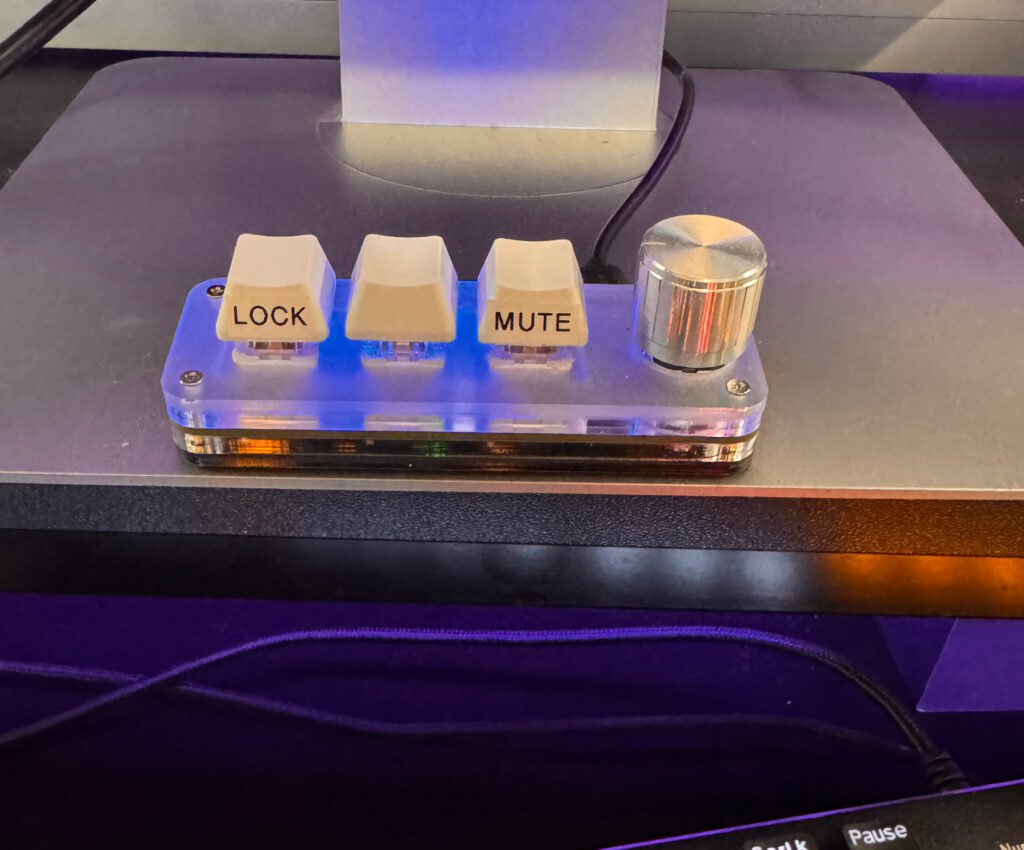
A very useful and also inexpensive mini keyboard found on AliExpress. Mine is the specifically this one. I have added the notes myself using a Brother P-touch label maker.
Here is the drivers and configuration application in a Google Drive. Note to myself: if this share is deleted, search for “3 key keyboard software-20251226T192116Z-3-001.zip” in your own Google Drive.
This is how the “MINI KeyBoard.exe” looks like:

It should display “Connected”. To modify each key, click the green keys (left top corner), it will become red. Then select the operations then click “Download”.
This is my configuration as of today:
- KEY1: Win L (Go to “KEY”, then select the keys. This locks the computer).
- KEY2: Win Ctrl V (Go to “KEY”, then select the keys. This is the Windows sound output selector.)
- KEY3: Mute (Click “Multimedia” then mute)
- K1 Left (Knob scroll left): Volume- (Click “Multimedia” then “Volume-“)
- K1 Right (Knob scroll right): Volume + (Click “Multimedia” then “Volume+”)