Netbeans have a modular architecture that permits plug and unplug functionalities easily using the Plugin Manager.
It’s also easy create new plugins using Netbeans itself.http://silveiraneto.net/wp-admin/media-upload.php?post_id=705&TB_iframe=true
Netbeans have a modular architecture that permits plug and unplug functionalities easily using the Plugin Manager.
It’s also easy create new plugins using Netbeans itself.http://silveiraneto.net/wp-admin/media-upload.php?post_id=705&TB_iframe=true
For a while I’m thinking about this hardware project idea and now I’m opening here to get some opinions. After that maybe I’ll submit it for the Sun SPOT Open Grant Program.
What is Walker Sphere? Walker Sphere is a project to made an robot capable with a diferent aproach, without heels, mats, propellers or wings. The main idea is to move only changing its center of gravity.
How change its center of gravity?
It’s a sphere

with some compartments

and a Sun Spot.

One compartment is filled with a liquid. The liquid is pumped to another compartment and so the compartment got heavier and the sphere moves towards its direction.

Why a sphere? We can distribute the mass uniformly in a sphere and it’s shapes make it easier to roll. A sphere can encapsulates all components and protect them from the outside world and at the same time all sensors can work, especially using some transparent material for the bark.
Why Sun Spot? The Sun Spot have some advantages that fits perfectly in this project:

It will be free? Yes. I’d like to know more about open and free licenses for hardware projects.
How to pump the liquid into the compartments? I don’t know. Have you some good idea?
Some random ideas:
I’m open for ideas, critics and suggestions. 😉
Today I did one more Tech Demo about Netbeans and also Sun Academmic Initiative and Community Innovation Awards Program.
Below are the slides (in Portuguese). They are an continuation from those from the last demo. You can also download them in ODP or PDF.
I have really little time to prepare this presentation (one day) but everything goes right. I prepared the slides during the night, took some food, soft drinks and gifts, called the students using our mail list. We had few people but was a good audience for the first weak of the university calendar.

We talked two hours about stuff like:


The next tech demo will be about one of those themes: JavaFX, Opensolaris or How to develop a module for Netbeans. I’m open for suggestions.
More photos at Flickr.
An side-scrolling game attempt.

I used two images, this mountain background made with Gimp (xcf sources here) and that ship above made with Inkscape (svg sources here).
import javafx.ui.*;
import javafx.ui.canvas.*;

var scroll;
scroll = [1..800] dur 60000 linear continue if true;

var mountains = Clip{
    transform: bind translate(-scroll,0)
    shape: Rect {x:bind scroll, y:0, width:400, height:200}
    content: [ImageView {
            transform: translate(0,0)
            image: Image { url: "http://silveiraneto.net/downloads/mountains.png"}
        },
        ImageView {
            transform: translate(800,0)
            image: Image { url: "http://silveiraneto.net/downloads/mountains.png"}
        }
    ]
};

var h = 50;

var ship = ImageView {
    cursor: HAND
    transform: bind translate(0,h)
    image: Image { url: "http://silveiraneto.net/downloads/jfx_plane.png"}
    onMouseDragged: operation(e) {
        h += e.localDragTranslation.y;
    }
};

Canvas {
    content: [mountains, ship]
}
An simple color picker that can be also used as a gadget.
import javafx.ui.*;
import javafx.ui.canvas.*;

var colors = [red:Color, orange:Color, yellow:Color, green:Color,
     cyan:Color,blue:Color, magenta:Color, gray:Color];

var chosenColor: Paint;
chosenColor = black:Color;

var x = 120;
var y = 70;

Canvas{
    content: Group{
        transform: bind translate(x,y)
        content: [Star{
            points: sizeof colors
            rin: 30
            rout: 50
            fill: bind chosenColor
            onMouseDragged: operation(e) {
                x += e.localDragTranslation.x;
                y += e.localDragTranslation.y;
            }
        },
        foreach (i in [1..sizeof colors]) Circle {
            var: self
            transform: [rotate(i*360/sizeof colors,0,0), translate(50,0)]
            radius: 10
            fill: colors[i%sizeof colors]
            onMouseClicked: operation (e){
                chosenColor = self.fill;
            }
        }]
    }
}
Two simple JavaFX code handling onMouseDragged event.
import javafx.ui.*;
import javafx.ui.canvas.*;

Canvas {
    content: Circle {
        var x = 50
        var y = 50
        transform: bind translate(x, y)
        radius: 30
        fill: red
        onMouseDragged: operation(e) {
                x += e.localDragTranslation.x;
                y += e.localDragTranslation.y;

        }
    }
}
import javafx.ui.*;
import javafx.ui.canvas.*;

Canvas {
    content: Circle {
        var x = 50
        var y = 50
        var radius = 30
        transform: bind translate(x, y)
        radius: bind radius
        fill: red
        onMouseDragged: operation(e) {
            if (e.button == 1){
                x += e.localDragTranslation.x;
                y += e.localDragTranslation.y;
            }
            if (e.button == 3) {
                radius += e.localDragTranslation.x;
            }
        }
    }
}
import javafx.ui.*;
import javafx.ui.canvas.*;

Canvas {
    content: [
    Rect {x: 50, y: 50, width: 50, height: 50, fill: orange },
    Circle {
        var x = 50
        var y = 50
        var radius = 30
        var color = red:Color
        transform: bind translate(x, y)
        radius: bind radius
        fill: bind color
        onMouseDragged: operation(e) {
            if (e.button == 1){
                x += e.localDragTranslation.x;
                y += e.localDragTranslation.y;
            }
            if (e.button == 3) {
                radius += e.localDragTranslation.x;
            }
        }
        onMousePressed: operation(e){
            color = Color {blue: 0.0, green: 0.0, red: 1.0, opacity: 0.5};
        }
        onMouseReleased: operation(e){
            color = red:Color;
        }
    }]
}
You can test this examples with thhe JavaFX Pad or using Netbeans with the JavaFX Plugin.
As I promised before, more pictures from Reggie Hutcherson (manager of the Sun Technology Evangelism group) and Simon Ritter (Java Technology Evangelist at Sun Microsystems) here in Fortaleza.
The talk was a success and with a large audience, more than 500 people!
Here some pictures I selected.


And you can see too all pictures in our jug album or here:


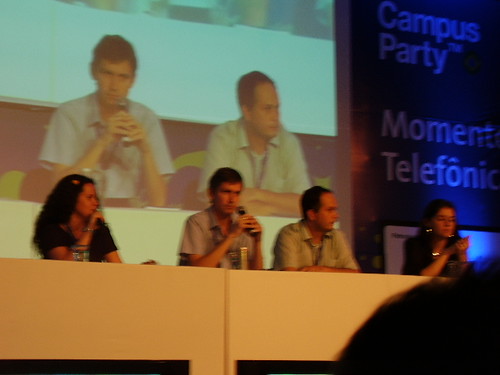
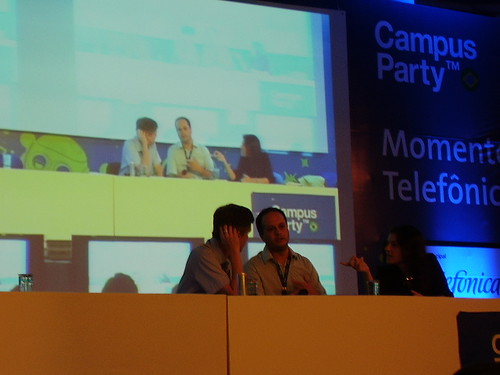
More pictures from the third day at Campus Party.


Reginald (Reggie) Hutcherson is the manager of the Sun Technology Evangelism group. Simon Ritter is a Java Technology Evangelist at Sun Microsystems. They were here in Brazil to some events and we bring them to Fortaleza (Ceará) to talk too in our local jug event (Café com Tapioca de Coco).

Sign we made to find them in the airport.

Me and Rafael got them in the airport and showed some some cool places in the city. They already knew what they wanted to eat: barbecue!


Reggie, me, Rafael and Simon.
They are really cool guys. Soon I’ll put some photos of event itself.
Unfortunately I could not stay for the event due my flight to São Paulo in order to be in the Campus Party Brasil 2008.